
Screen 01
Save from the page
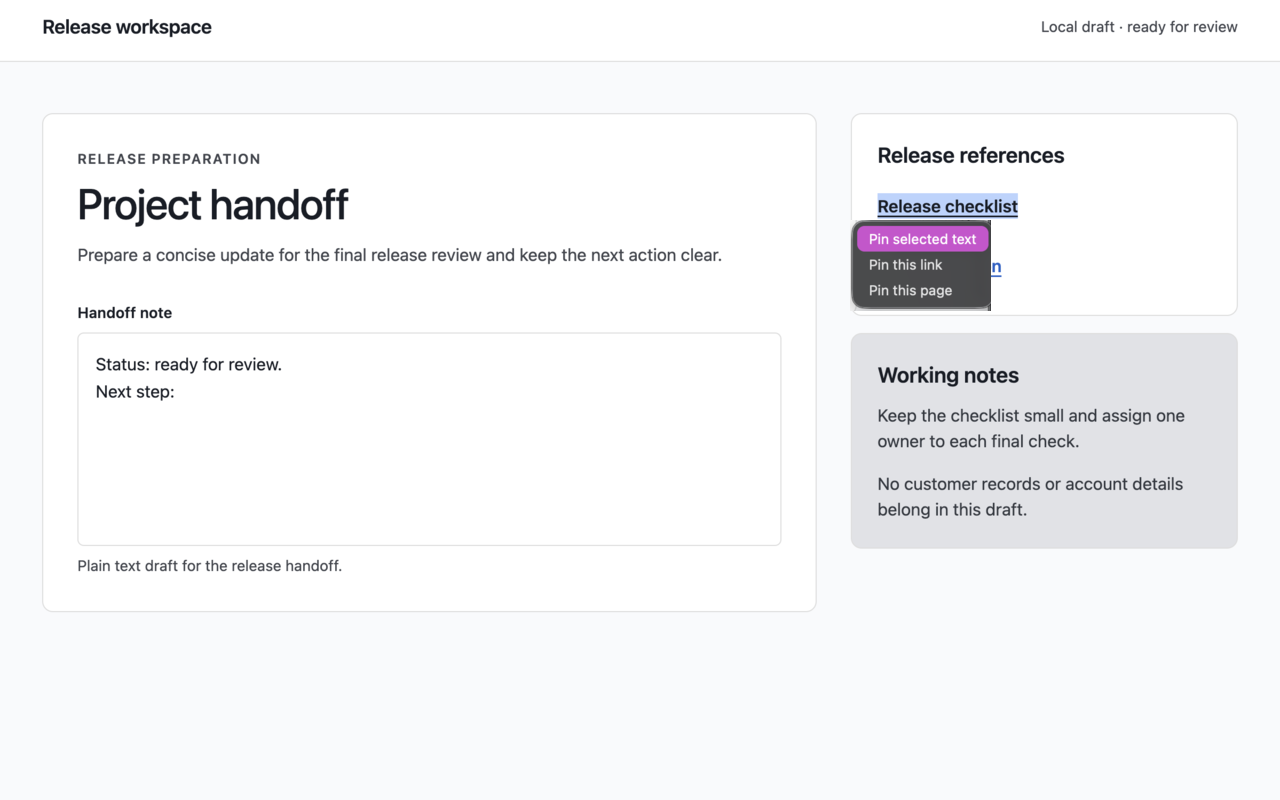
Save selected text, a link, or the current page from the right-click menu.
Local-first, optional sync pilot
Save text and links once, then insert them into the field you're already using. Pin Things stays useful without an account or network; invited browsers can opt into sync only after explicit consent.
Each store button shows its current availability.
One small loop
Pin Things combines page capture, a focused local library, and insertion beside the field. Sync is an optional pilot layer, not a requirement for the local workflow.
Save selected text, a clicked link, or the current page from the right-click menu. You can also create pins in the popup.
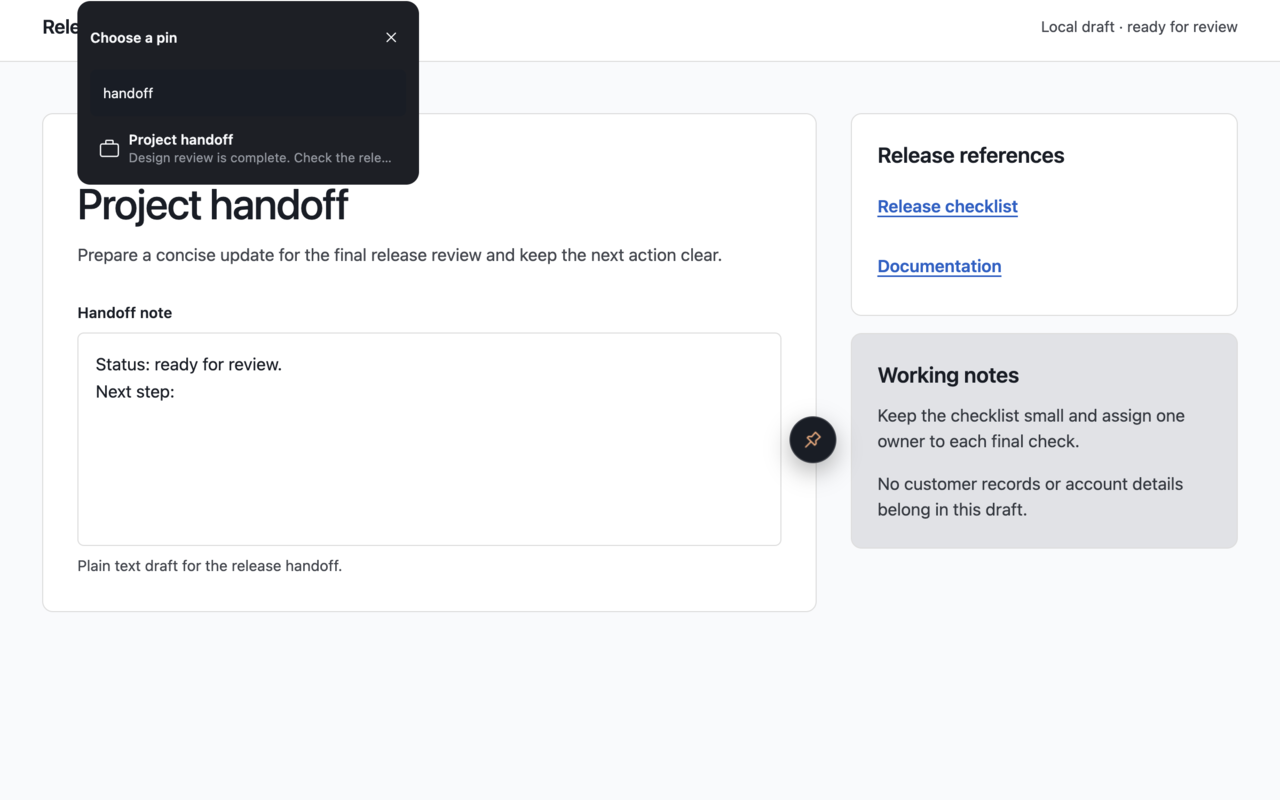
Search active pins by title or content in the compact popup or the picker beside the field.
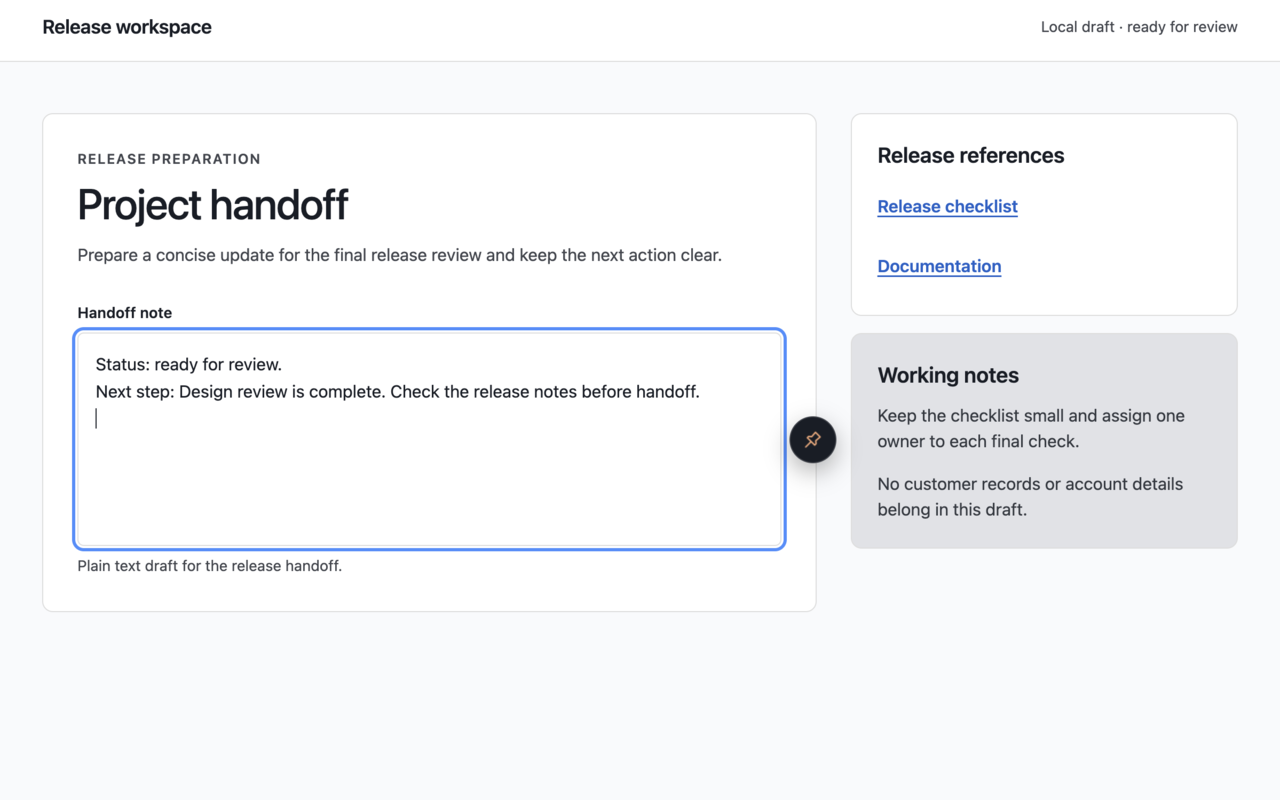
Insert plain text at the caret or replace only the current selection, then return focus to the field.
Five screens, one workflow
Follow the same text from page capture, through the local library, to insertion, independent export, and optional pilot sync.
Screen 01
Save selected text, a link, or the current page from the right-click menu.
Screen 02
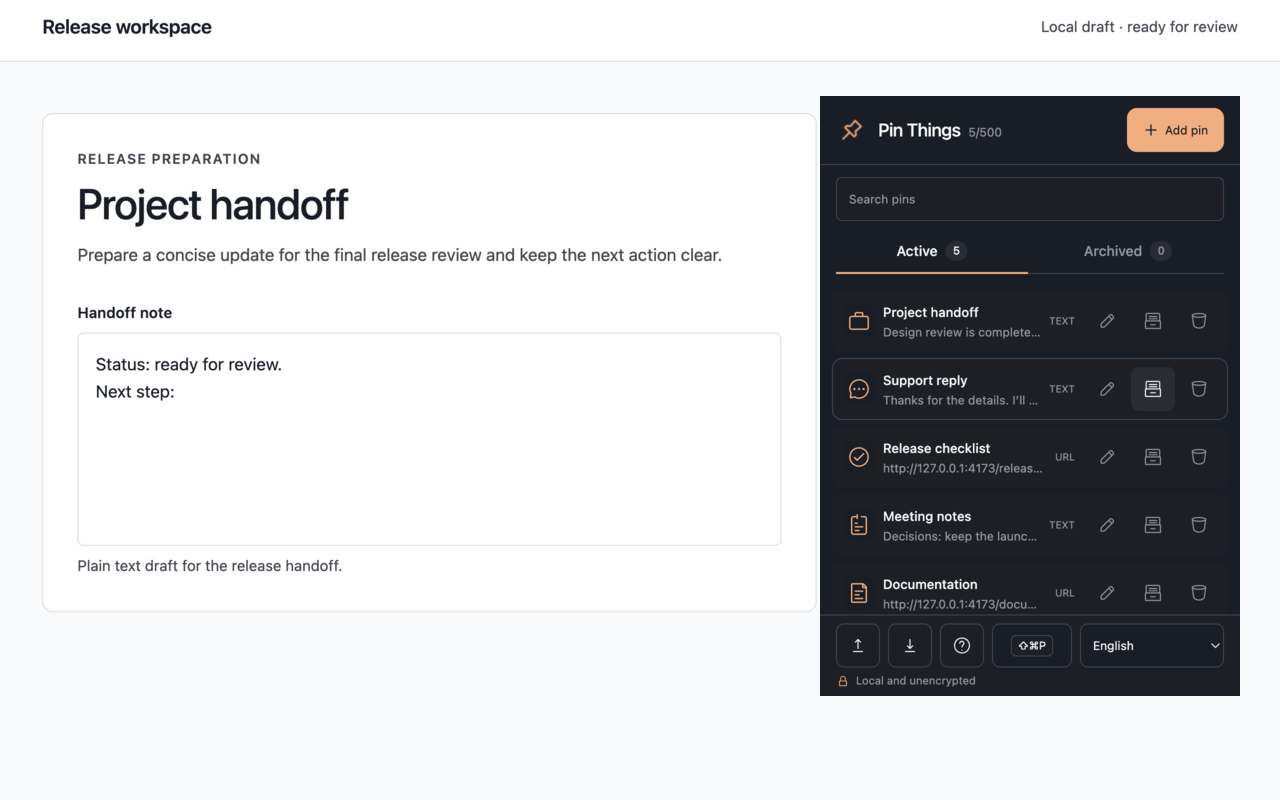
Create, search, edit, and archive reusable text and URL pins.
Screen 03
Find the right pin beside the field where you're already working.
Screen 04
Insert plain text at the caret or replace only the current selection.
Screen 05
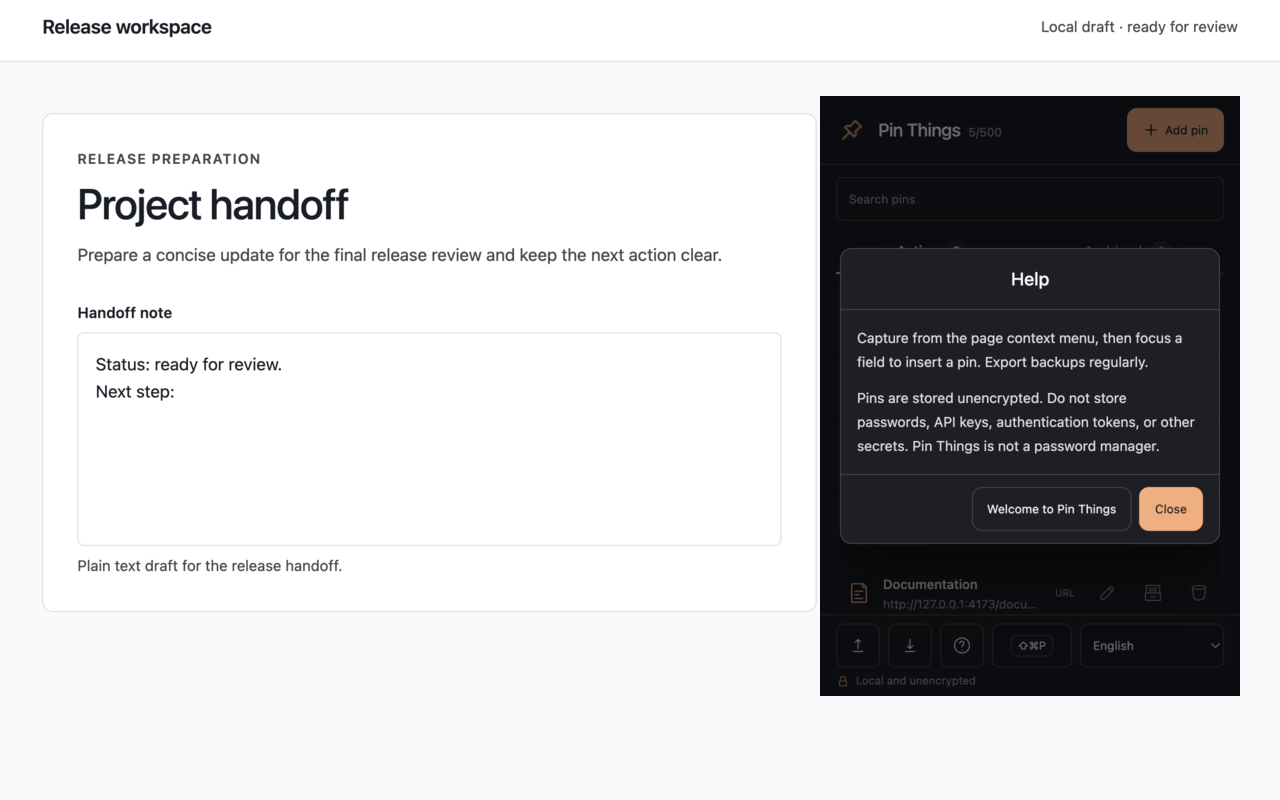
Export local backups and see the unencrypted-storage boundary clearly.
Local-first by design
Storage is local and unencrypted. You can keep using Pin Things without an account or network. An invited browser may opt into sync after consent; the local library and independent export remain available.
Clear boundaries
Pin Things is a local capture-and-reuse tool first. It is not a password manager, and saved pins are not encrypted.
Do not store passwords, API keys, authentication tokens, or other secrets.
Export an independent Backup V2 JSON and import only the file you choose. Sync is not a backup; clearing extension data or uninstalling can remove local pins.
Sync is off by default and per browser. After consent, active and archived pin fields can reach the server under a verified Clerk account; the service can process plaintext pins without client-side end-to-end encryption, while local settings stay local.
The invite-only pilot records only allowlisted reliability fields for up to 30 days. It never records pin IDs, titles, content, URLs, or icons.
Disable, sign out, and delete remote library are separate actions. Remote deletion preserves local export and has no pilot undo.
Pin Things does not sell data or use pin content for advertising, profiling, server-side search, or unrelated analytics.
Published listings open from their button. Unavailable listings remain marked Coming soon.